Manage on-call rotations directly in Slack
Assign team members to handle incoming requests and tasks by using rotating user groups and @mentions. Set it up in less than 30 seconds.
14-day free trial. No credit card required.
Made to simplify communication on Slack
Shifter utilizes Slack's user groups to create easy-to-remember @mentions and assign on-call teammates according to a custom rotating schedule.
With Shifter, all messages have a clear destination and every user in your organization knows who to contact to get things done quickly.
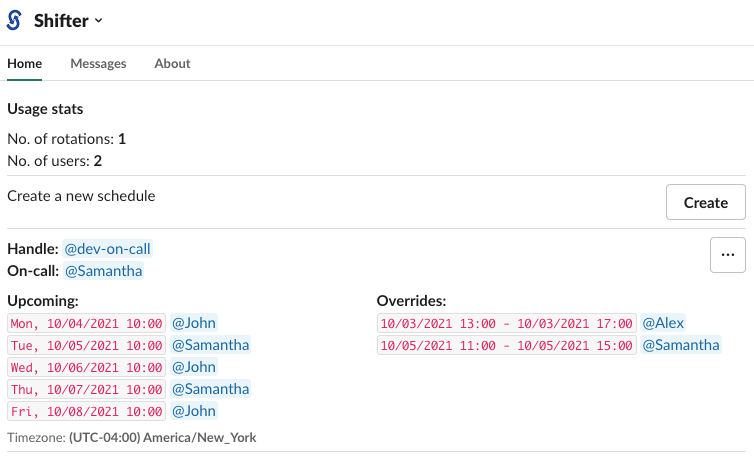
Set up your rotation in minutes
Three simple steps to get your on-call rotation up and running.
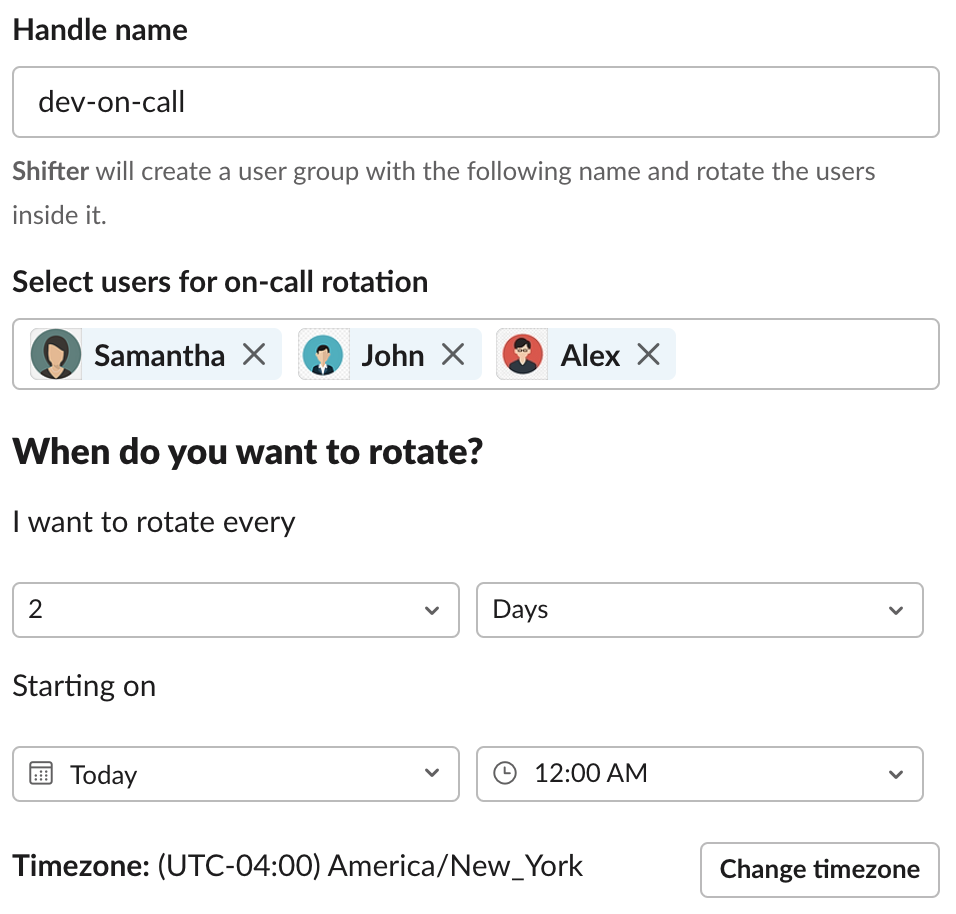
Create a rotation
Choose a handle name (e.g. @dev-on-call), select users, set your rotation interval, start time, and timezone. Preview before you publish.
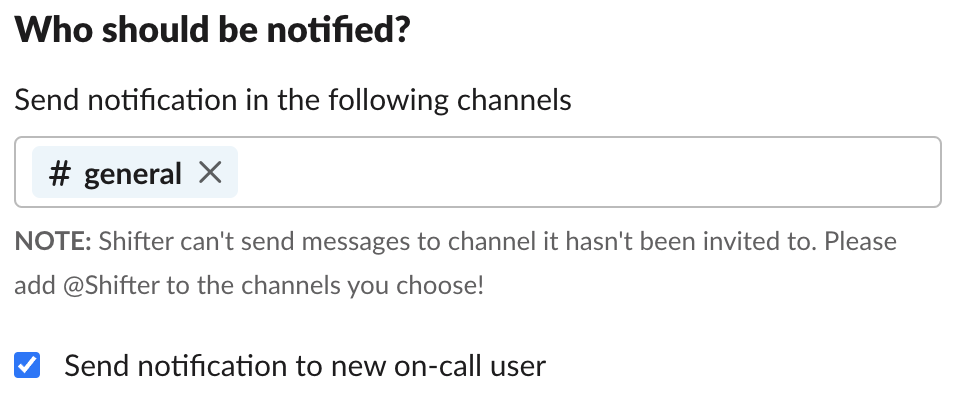
Set notifications
Select channels to alert about a new shifter and choose if you want to notify the shifter about their upcoming shift.
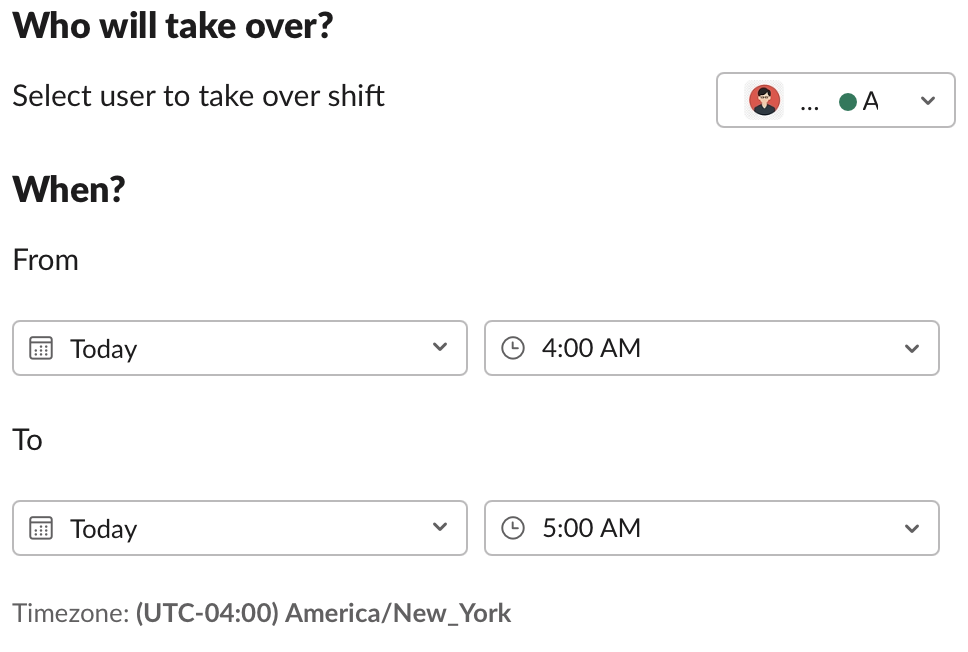
Create overrides
Someone out sick? Simply create an override by specifying which user should take over and at what time.
Everything you need for on-call management
Notifications
Send notifications to specific channels or the shifter to let them know about upcoming shifts.
Custom Rules
Create custom rotation schedules by setting your own intervals and starting times.
Overrides
Override a shift by specifying who should be on shift and when. Handle sick days and vacations easily.
Metrics
See how many rotations you created and how many unique users are taking part in shifts.
Watch Shifter in action
Plans & Pricing
After clicking "Get Started" you will be redirected to Slack, where you can try Shifter for 14 days free.
For businesses with 3-7 teams
Frequently Asked Questions
Can I try Shifter before committing to a subscription?
Yes! Shifter comes with a free 14-day trial, so you'll have plenty of time to try it with your team.
Who uses Shifter?
Any team where individual users are responsible for specific tasks at specific times. Engineering teams assigning @dev-on-call, Support teams assigning @customer-champion, Sales teams assigning @demo-duty, HR teams assigning @hr-on-call, and many others.
Do I need to upgrade Slack?
Shifter utilizes Slack's user groups feature which is only available for paid Slack accounts.
What is a rotation?
A rotation is a group of users that shifts responsibilities from user to user on a given custom schedule.
How does Shifter protect my privacy?
Shifter requests the absolute minimum permissions to work. The permissions are to manage user groups, view user info, and send messages to where the Shifter app is invited.
How do I cancel my subscription?
In the Shifter app home in Slack, click on "View/Upgrade Plans", then click on "Cancel".
Ready to simplify your on-call rotations?
Join 200+ teams already using Shifter to manage their on-call schedules directly in Slack.
Add to Slack - It's Free14-day free trial. No credit card required.